
A call booked on the website, without an email exchange
Booking calls on a website: meeting types, availability, Google Calendar, reminders and rescheduling.
- Industry
- Automation / internal tools
// Challenge
A service company that sells projects starts with a conversation. Someone reads an offer page, decides it is worth talking — and that is the moment they are easiest to lose.
For us it looked the way it does at many companies. A visitor filled in a form and, next to it, read that "we reply within 24 h" and that "we will suggest a short call". Someone who had just wanted to talk received a promise of an email proposing a date. Then a reply, sometimes a second date because the first did not suit. By the time the call actually happened, the decision had cooled off.
The first version of meeting sign-up was built in December 2024 and did exactly that — it recorded a meeting. It did not know when we were free, did not create a calendar event and did not send an invitation. Dates still had to be agreed by hand.
We wanted the date to be chosen where the visitor already is — in the form on the offer page.
The stakes were simple: the fewer steps between "I want to talk" and a booked time, the fewer calls that never take place.
// Solution
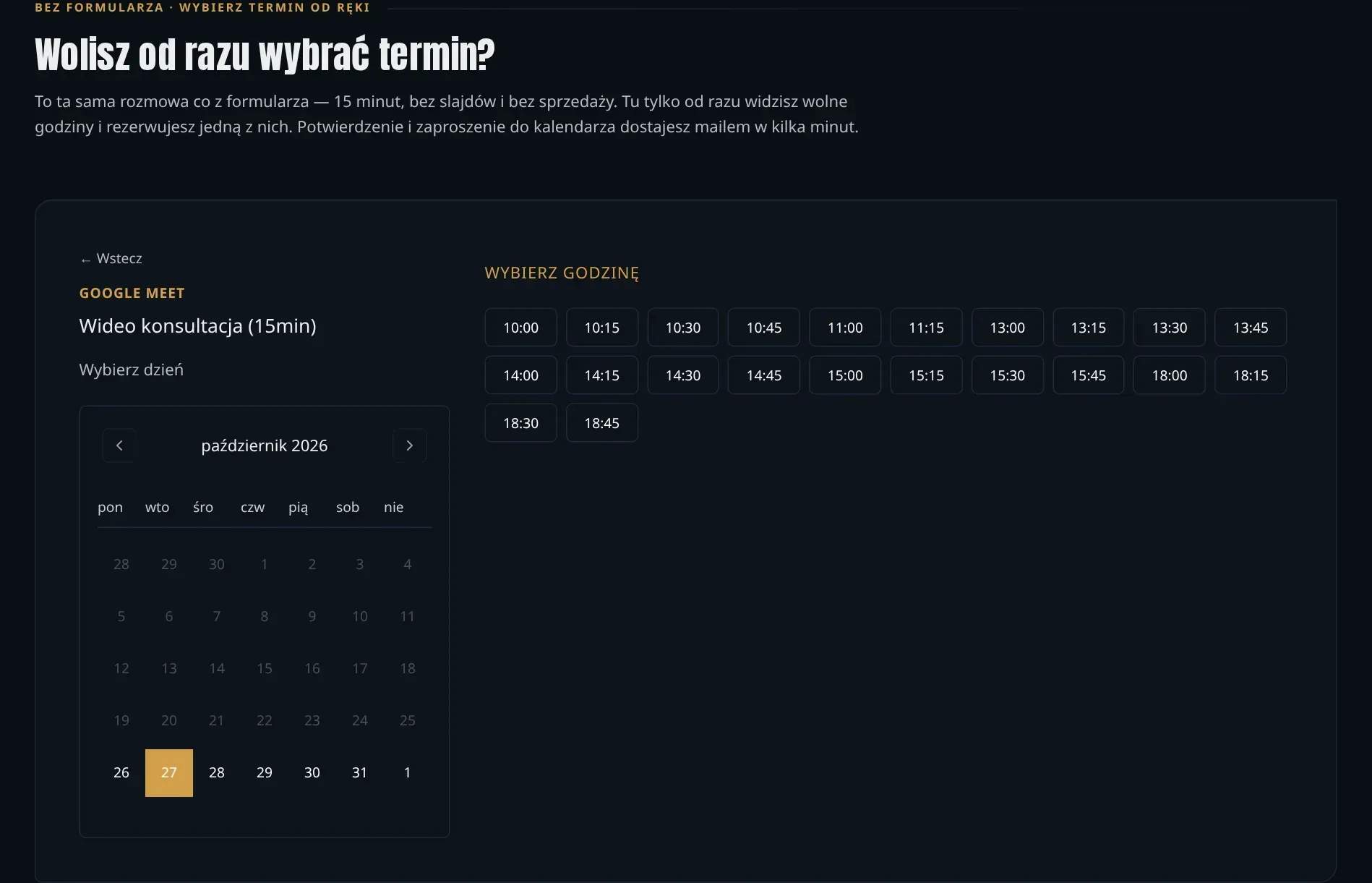
Free slots calculated from the real calendar. The module reads busy times from Google Calendar and subtracts them from the hours we set aside for calls. On top of that: a buffer after each meeting, minimum notice, a booking horizon and Polish public holidays calculated automatically, with exceptions for specific days. For the visitor, this means they only see times that are genuinely free. For us — that nobody lands in the middle of another meeting or on Corpus Christi. Call hours are deliberately a narrower slice of when you can phone us: slots reserved for free consultations.
The date is chosen in the form, not in a separate tool. The module works in two ways: as a booking block on a page and as a date field in a regular contact form. In August 2026 we changed the date field. Previously it made you open a calendar, find a day and only then check whether anything was free. Now it shows the nearest free slots, with the first one already selected, while the full calendar remains for those who prefer to search themselves. The pre-selection can be switched off and unticked, because someone who sends the form without looking at the field should not book a time they did not choose. We also removed the "video or phone" question — a visitor who has not booked anything yet does not need to choose the connection technology.
A booking that takes care of the rest. Once a date is chosen, the module checks again that the time is free, creates a calendar event with a Google Meet link and sends the visitor a confirmation with a calendar invitation. The email contains a link to reschedule or cancel — no login and no need to write to us. Reminders go out a day and an hour before the meeting. Rescheduling moves the same event, with the same call link. If saving the booking fails, the event is removed from the calendar, so there is no meeting left behind that cannot be cancelled.
The core of the module — slot calculation, holidays, time zones — does not depend on our CMS or on Google. This means the module can be embedded on another website, and the calendar provider can be swapped without rewriting the scheduling logic.
Compared with off-the-shelf tools. Companies usually book calls through Calendly, Bookero or a booking page in Google Calendar. Calendly costs from USD 10 per person per month, and meeting reminders are only available on a paid plan; Bookero — from PLN 19.90 net per month, with Google Calendar sync only on the top plan; in Google Calendar the booking page is free, but automatic reminders require a paid Workspace. All three send the visitor to a separate booking page, and the booking data stays in their system. The module works within the form on the offer page and saves the meeting straight into the contact records, together with the campaign the visitor came from. Off-the-shelf tools, on the other hand, have things the module does not have today: whole-team calendars, Outlook, text messages and payments at booking.
What it looks like · 5
01Free hours calculated from a real calendar
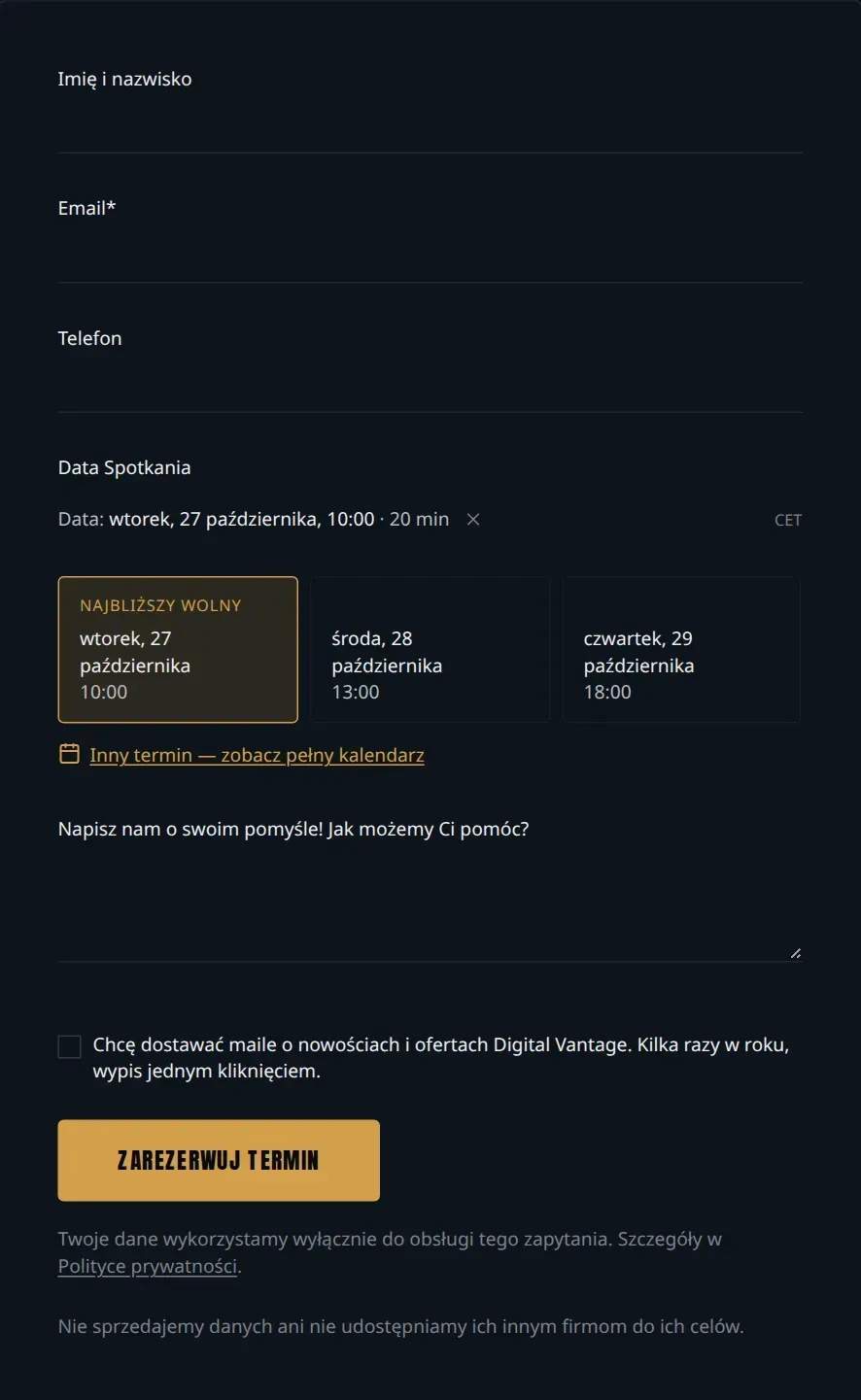
02Form with suggested slots — the nearest free one already selected
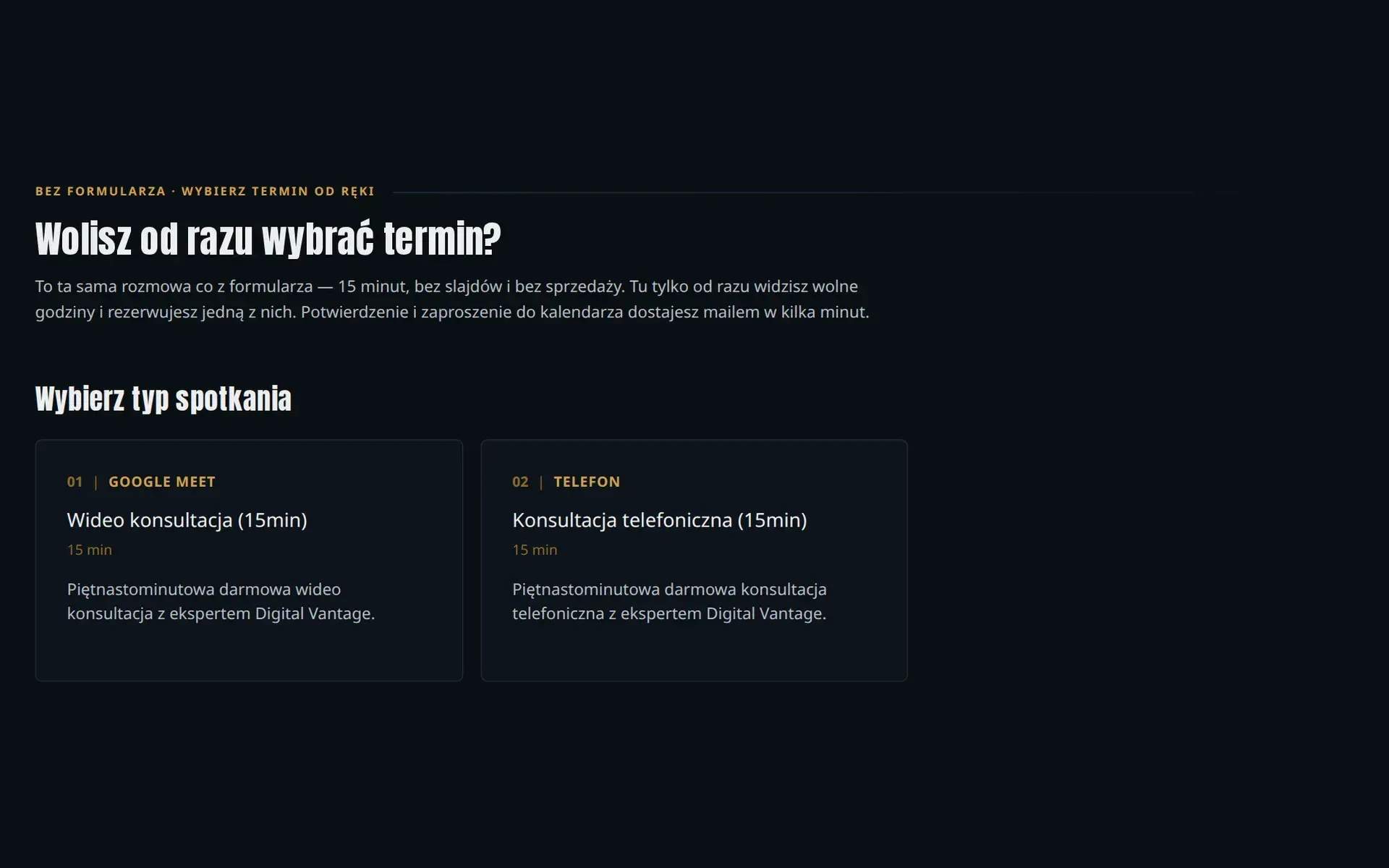
03Meeting types — video or phone
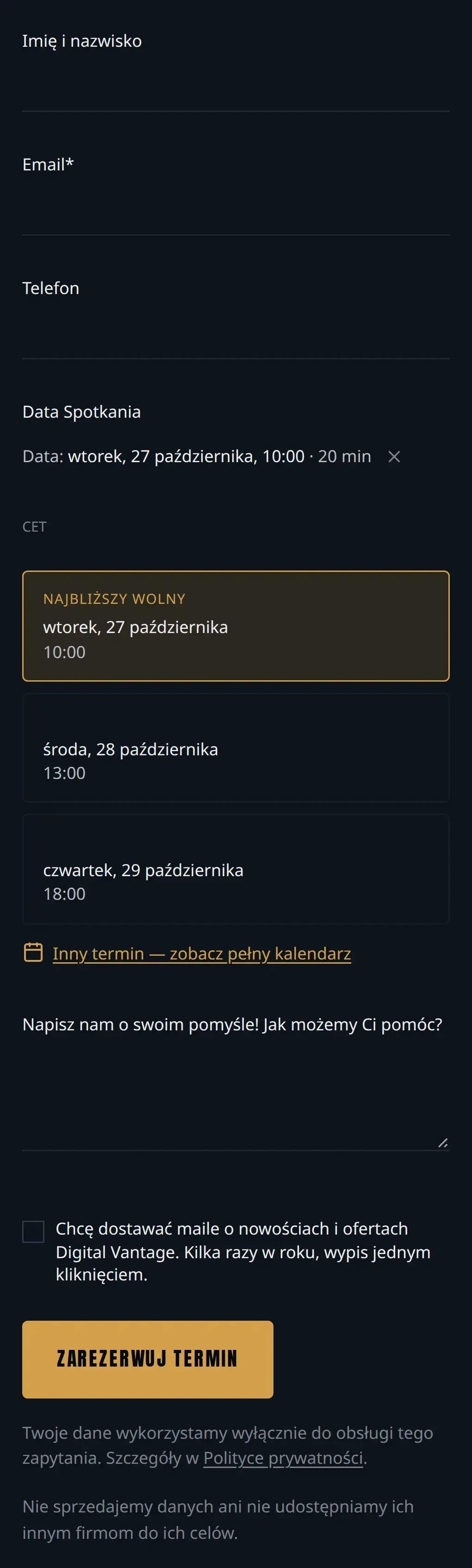
04Form with slots on a phone
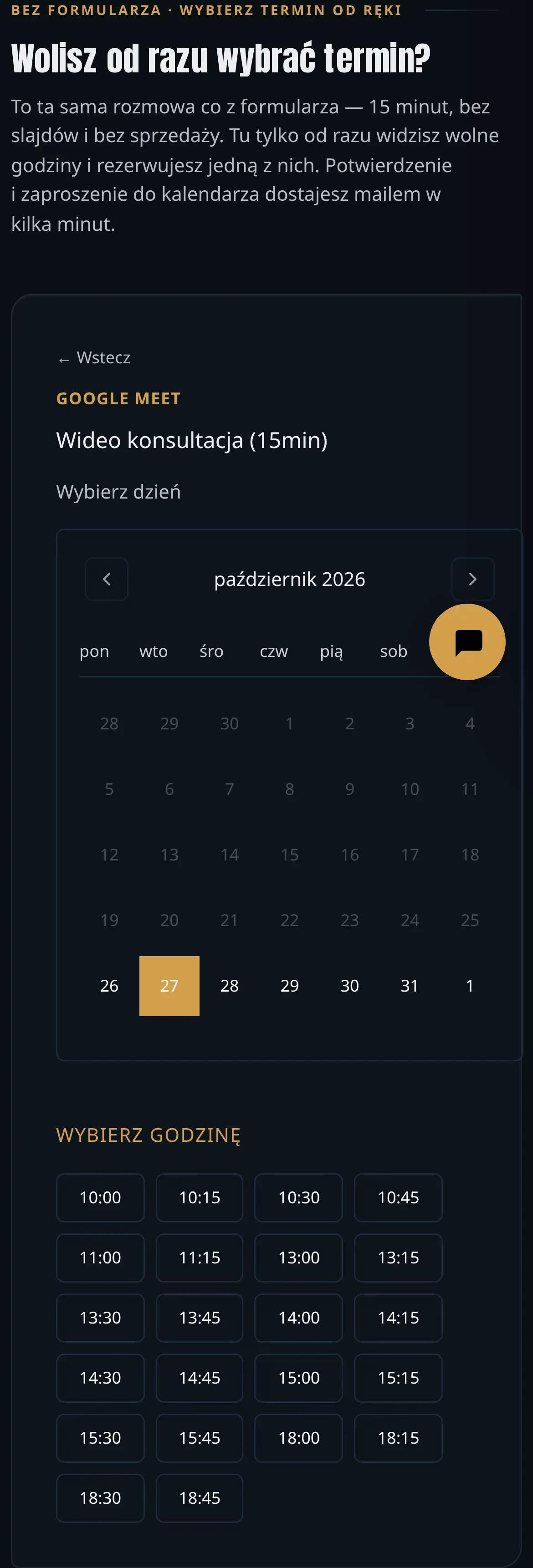
05Free hours on a phone
// results · figures
What came of it
- Click to choose a suggested dateThe form shows the nearest free slots with the first one selected
- 1
- Pages on digitalvantage.pl with bookingHomepage, offers, calculator and call page; as of 26 October 2026
- 14
- Reminders before the meetingBy email, in the visitor's language, with a reschedule link
- 24 h & 1 h
- Emails to the company when reschedulingThe visitor moves or cancels the meeting via the link in the confirmation
- 0
Today a visitor who wants to talk to us does not wait for an email. On the offer page they see the nearest free slots and book one of them. A few minutes later they have a confirmation, a calendar invitation and a call link in their inbox. If something comes up, they reschedule themselves.
Booking works on 14 pages of digitalvantage.pl: the homepage, the offers for websites, online shops, web applications and AI implementations, the website cost calculator and the call page. Since October, suggested dates have been the default look of the field in offer forms. The "Book" link on our Google Business Profile also leads to booking.
For us, what happens after the click has changed. The meeting lands in the calendar without retyping. It goes into the contact records along with information on which campaign the visitor came from, so the call can be attributed to the activity that brought it, not just to the visit. When a contact asks for their data to be deleted, their meeting disappears too. Every quarter of an hour the module checks whether the connection to Google Calendar still works — if access expires, we get an email before a visitor finds an empty calendar.
Confirmation and reminder emails go out in Polish, English and French, in the language of the page on which the visitor booked. The module handles time zones and daylight saving time, and calculates Polish and Swiss public holidays itself. The booking rules are described in a separate section of the privacy policy.
Today the module handles one calendar — one person the visitor books with. A date agreed outside the website, for example by email, still has to be entered by hand, because there is no booking button in the contacts panel yet. We do not publish the number of bookings made through the module.
// Related
- ServiceSystem integrationSystem integration for companies: ERP, CRM, KSeF, public APIs (BZP, TED, CEIDG), Google and Microsoft 365 calendars. No retyping, no Excel exports.
- ArticleOnline booking system — when a free one is enough and when to build your ownWhen a free booking calendar is enough, what an online booking system must handle and when a custom module pays off. Vendor prices and our estimate.
- ArticleAPI — what is it? REST API, webhooks and OpenAPI explained for businessAPI explained with NBP, KSeF and VIES as examples: REST API, webhooks, OpenAPI, API keys and integration security for business.
15 minutes. Zero selling.
Does your team have a similar job you'd like to take off its plate? Tell us what takes the most time today, and we'll tell you what can be done about it.