
Case study · SaaS · KSeF · client portal
No more chasing documents at the accounting firm.
A portal that keeps after clients on the firm's behalf: missing documents, email and SMS reminders, KSeF invoice descriptions — under the firm's own brand.
- Type
- SaaS product
- For
- Accounting firms
- Integrations
- KSeF · SMS · email
- Team
- Konrad Barejko
- Status
- in production

// Challenge
The end of the month always looks the same
The end of the month at an accounting firm always looks the same. Clients send invoices by email or WhatsApp, or bring them in on paper. The firm phones round to remind them about what is missing. Purchase invoices from KSeF, Poland's national e-invoicing system, arrive without a description, so someone has to ask what the purchase was. And at the end, someone sends each client their ZUS (social security), VAT and PIT amounts along with the deadlines. All by hand, one client after another.
The data shows who this is a problem for. 57% of accounting firms in Poland are one-person businesses, and 62% serve no more than 30 clients. With a dozen or so clients, the owner handles it alone. From roughly 40 clients upwards, chasing documents no longer fits in one person's head. That is why the protagonist of this story is a firm with 2–10 staff and 40–150 clients, run by an owner who is usually also the chief accountant.
A firm like this cannot solve the problem by hiring another person. 61.6% of firms cannot find accountants. 65.9% have more work, but only 37.9% have higher revenue. From 2026 there is also KSeF, and assigning KSeF purchase invoices is the worst-rated area of accounting firms' work — 36% of ratings are very poor. Some of this research is run by software vendors, so we treat the figures as a direction, not a measurement. There is simply no Polish measurement of the time firms lose collecting documents.
The firm's owner also has good reasons not to change anything. They work in Optima, Symfonia, InsERT or wFirma and have no intention of switching to another program. 36.5% of firms are not planning any spending on new tools. Add to that the worry that clients will not log in to yet another system anyway. And the relationship with the client is everything to the firm: more than 80% of clients have never changed their accounting firm.
The market already has cheap portals that sit "alongside the accounting software" — BR360 at PLN 49–199 a month, KT Desk at PLN 10 per client. None of them keeps a list of the specific documents missing from each client in a given month. SaldeoSMART costs PLN 289–789 plus OCR credits, and implementation takes around three months.
// Solution
Not another file inbox
The market analysis showed one important thing: Optima, Rewizor and Symfonia download invoices from KSeF themselves. So the firm does not need yet another inbox for files. It needs something that chases the client on its behalf. We built four decisions on that.
The firm's client needs neither a password nor an app. Since the biggest risk is that clients will not log in, we do not ask them to. The portal works on a phone, and access comes from a link in an email. A reminder contains a link that opens the upload of the missing document straight away — it works for up to 30 days, only for that one task, and the firm can revoke it. The client takes a photo of the invoice with their phone and taps "Upload". The portal converts iPhone photos to a standard format on its own, and every file is checked by an antivirus scanner.
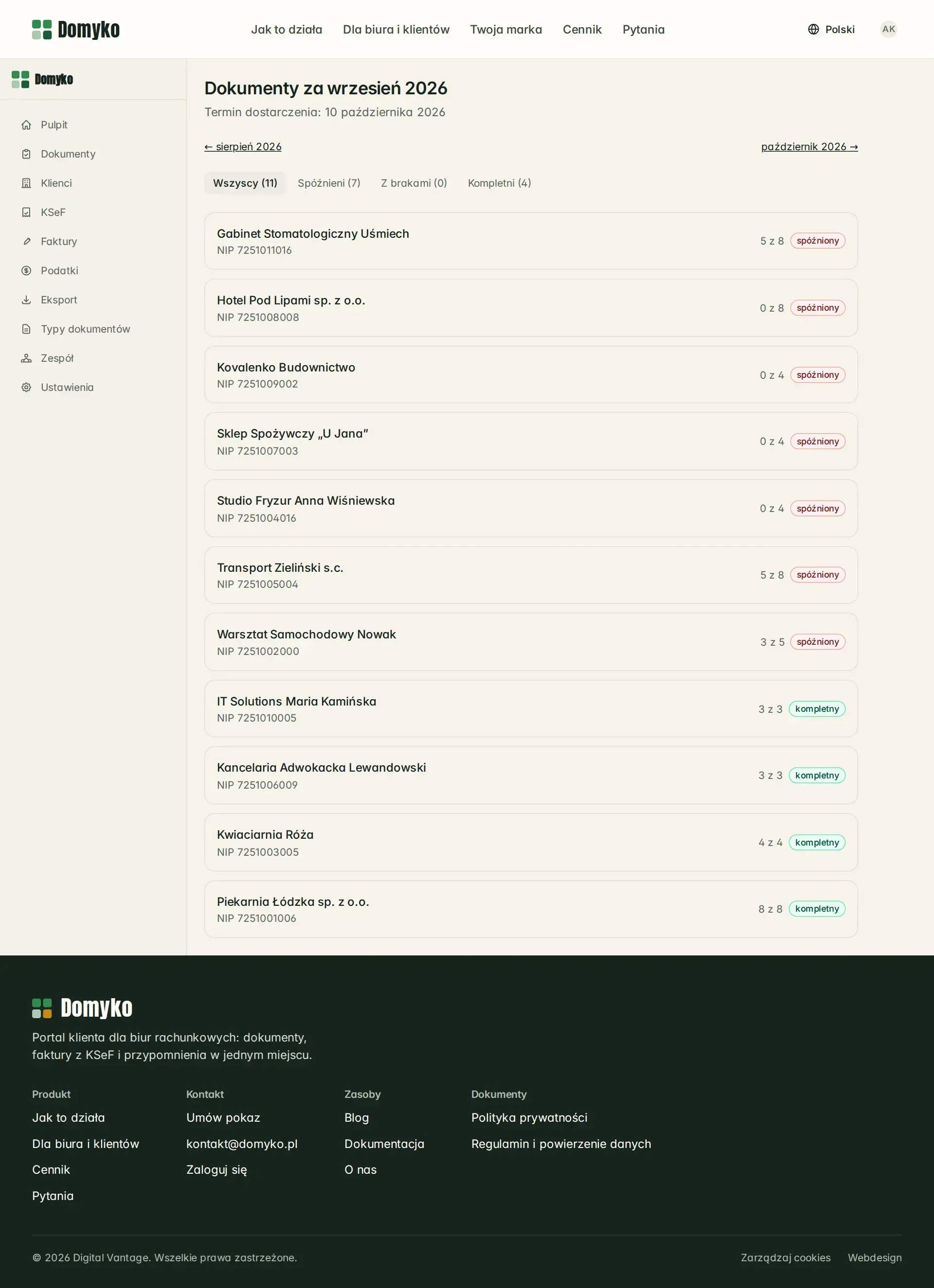
The firm sets up reminders once, then the system keeps track of them. Each client's document types produce a list for the period, with statuses: late, incomplete, complete. The firm sets the schedule, and the reminders escalate on their own: first an email, then a text message, then an upload link that needs no login. The whole history is on the client's record, so it is clear who received a reminder and when. Reminders run as a separate process, so they do not stop when the website restarts. Until the pilot, text messages in production go to a dummy gateway, not to clients.
KSeF without collecting certificates from clients. The firm has a single credential, and the client grants it permission in KSeF to read their invoices. The client describes the invoice in the portal — a category, a comment or a rejection — and the firm sees undescribed invoices, oldest first. KSeF keys are encrypted separately for each firm. Live synchronisation with KSeF is still awaiting testing.
The portal looks like the firm's system, not ours. Logo, colour, message sender name and the portal's own domain, for example portal.twojebiuro.pl. The firm's client sees Domyko only in the footer. The portal speaks Polish and English, including the document names the firm has set. The relationship stays where it was — between the firm and its client.
On top of that, two things remove the remaining manual tasks. The firm enters tax and ZUS amounts in a form or uploads them from a CSV file, and the client gets a message and sees them in the "To pay" tab — this is meant to put an end to "how much do I have to pay" phone calls. Export to the accounting software (CSV, XLSX, a ZIP of XML and PDF files) means the firm does not change its software, and bookkeeping stays where it is today.
The portal was not built from scratch: its foundation was the DVN Links code, which already had payments, plans and login by link. The portal is still being developed.
What it looks like · 16
Screen by screen, in the order the firm works.
01Missing documents for the month — who is late and what each client still owes
02The client portal on a phone — what the firm expects and an “Upload” button
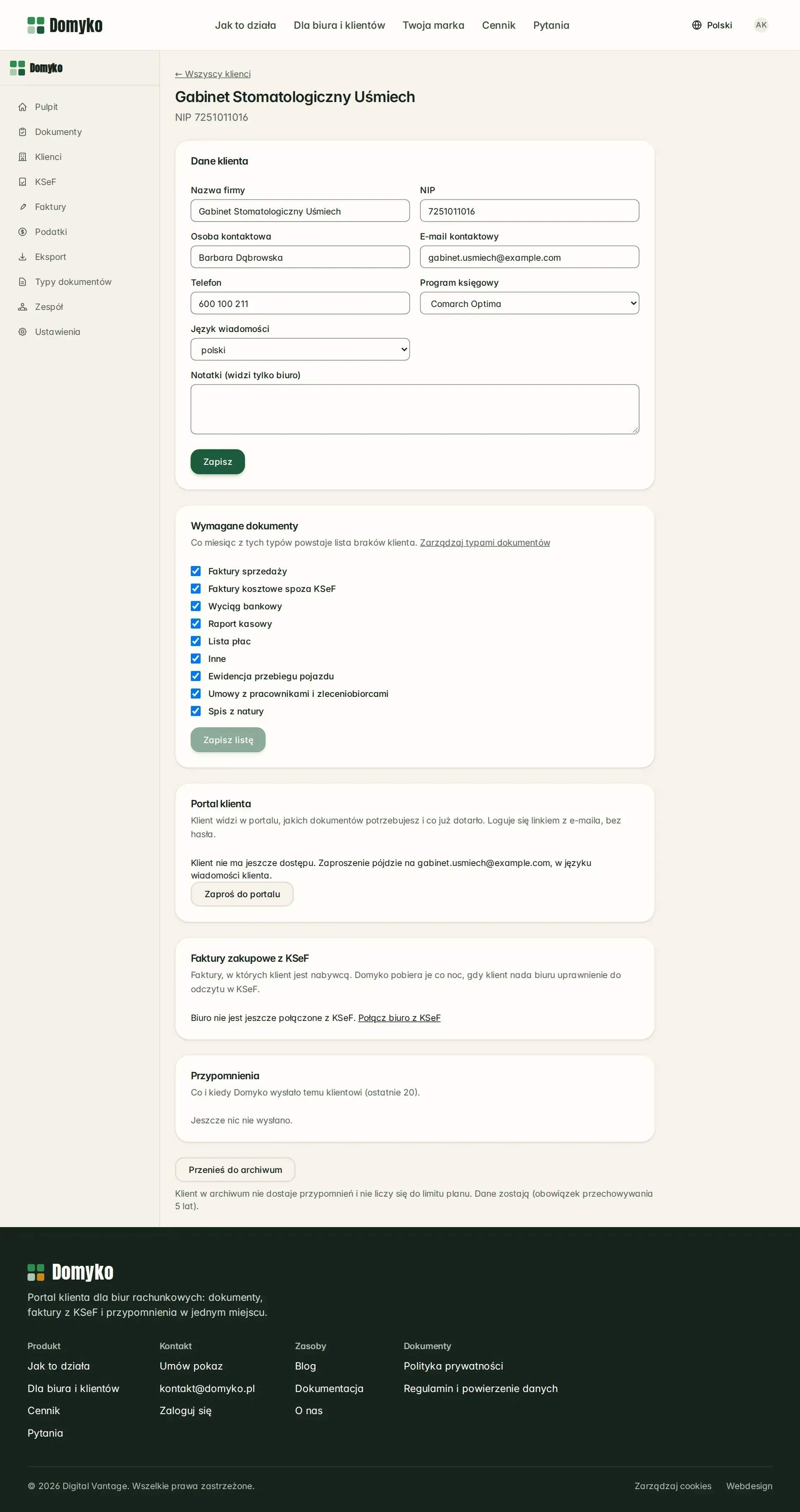
03Client card — required documents, portal invitation, reminder history
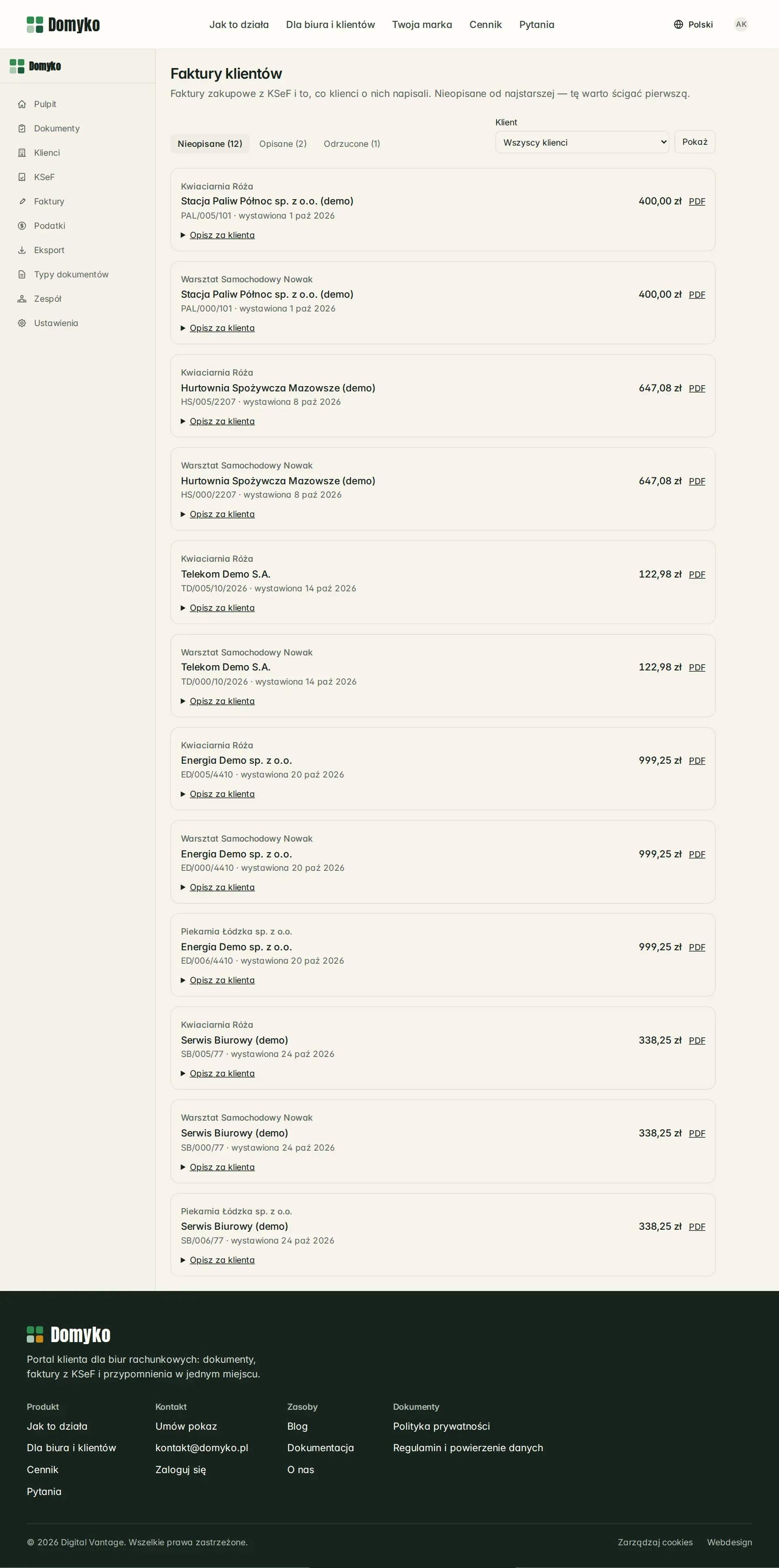
04KSeF invoices described by clients — undescribed ones first, oldest at the top

05The same portal in English — document types in the client's language
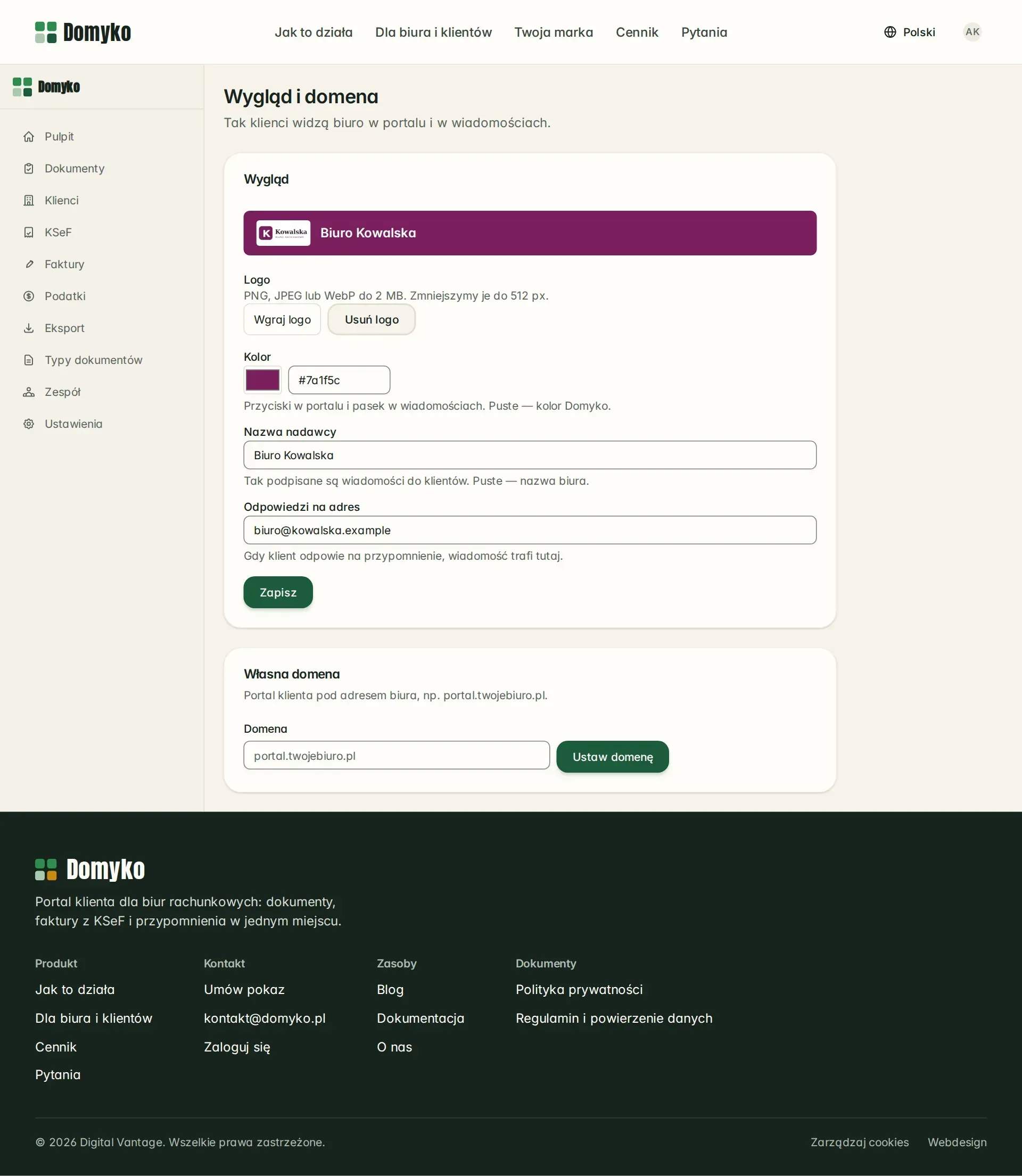
06Look and domain — the firm's logo, colour and address in the portal and messages
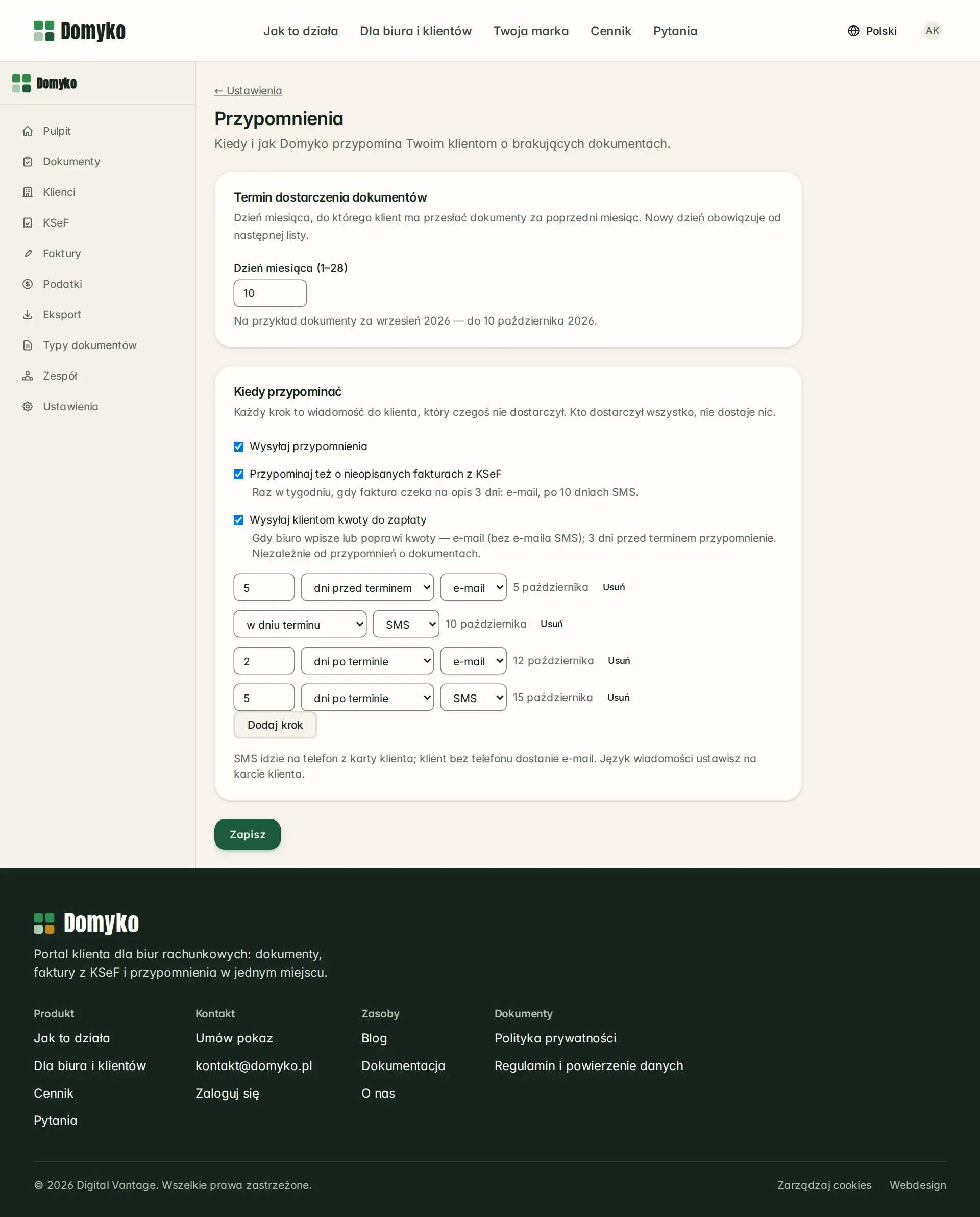
07Reminder schedule — email, SMS and a link that needs no login
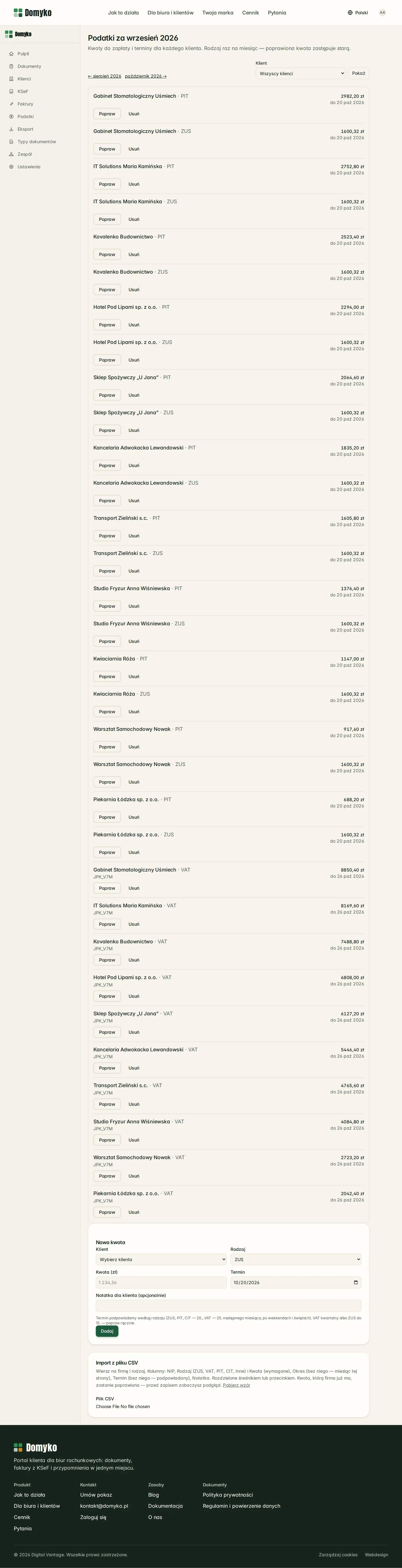
08Tax and ZUS (social security) amounts — the firm enters them, the client gets a message
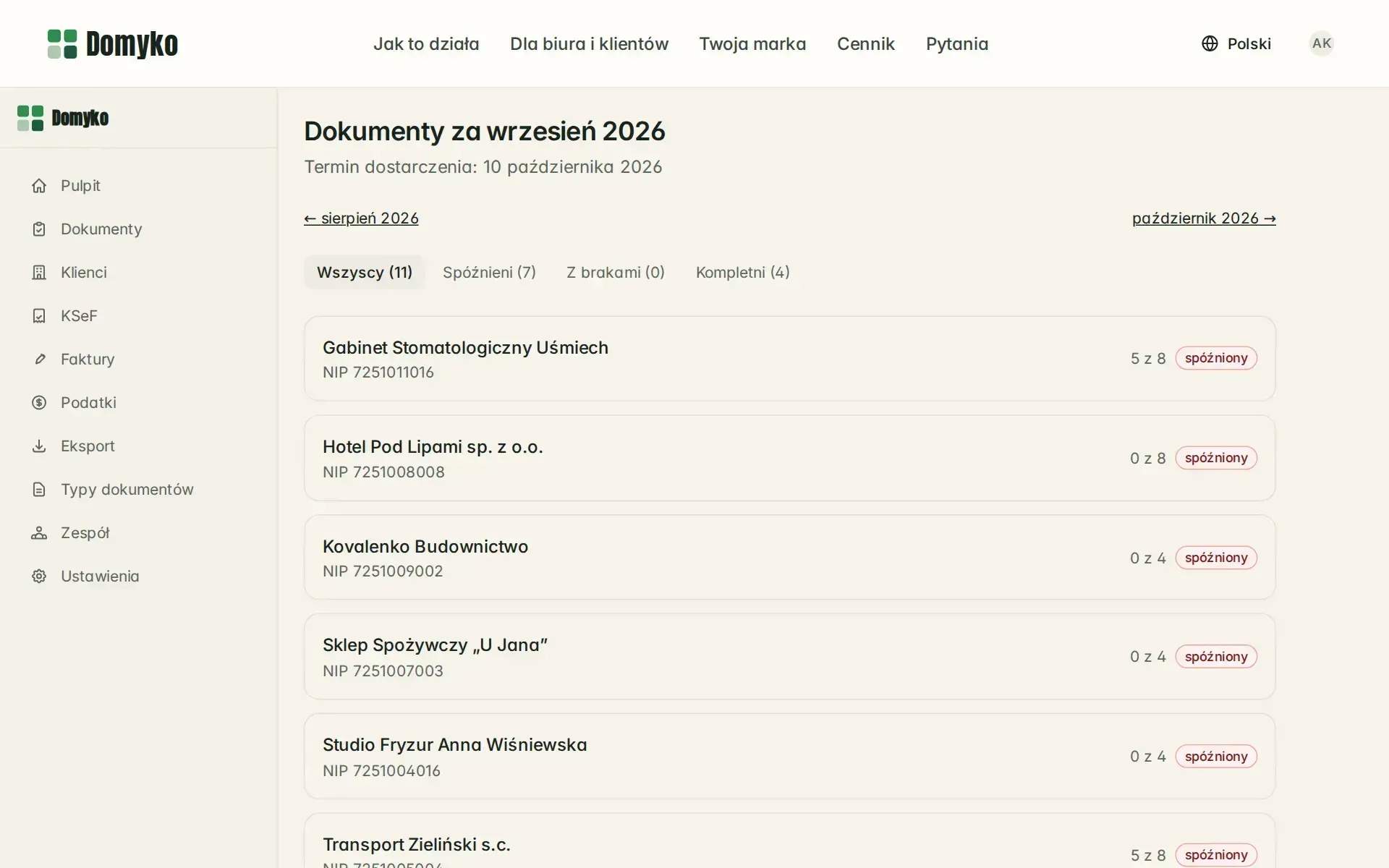
09Missing documents for the month — who is late and what each client still owes
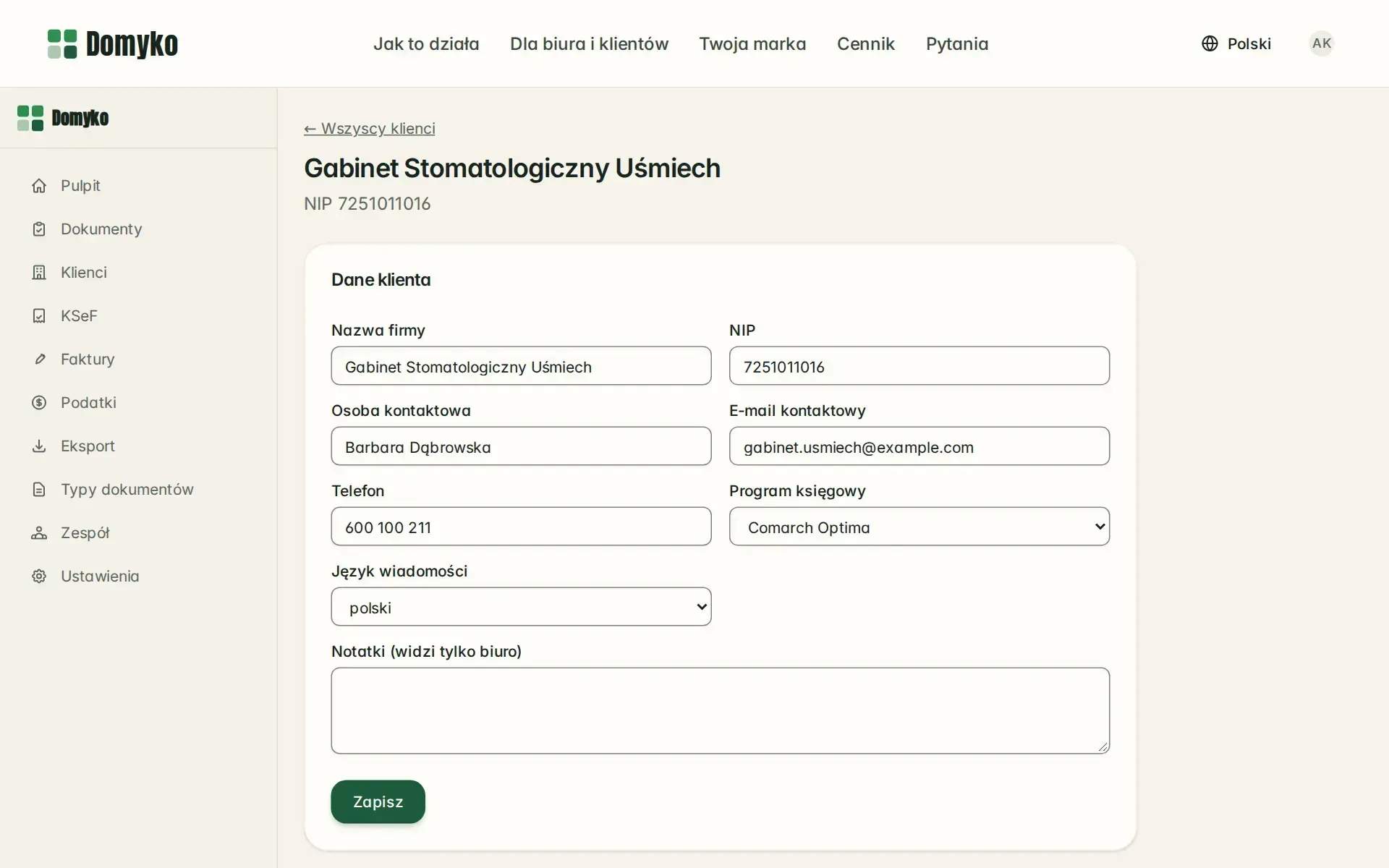
10Client card — required documents, portal invitation, reminder history
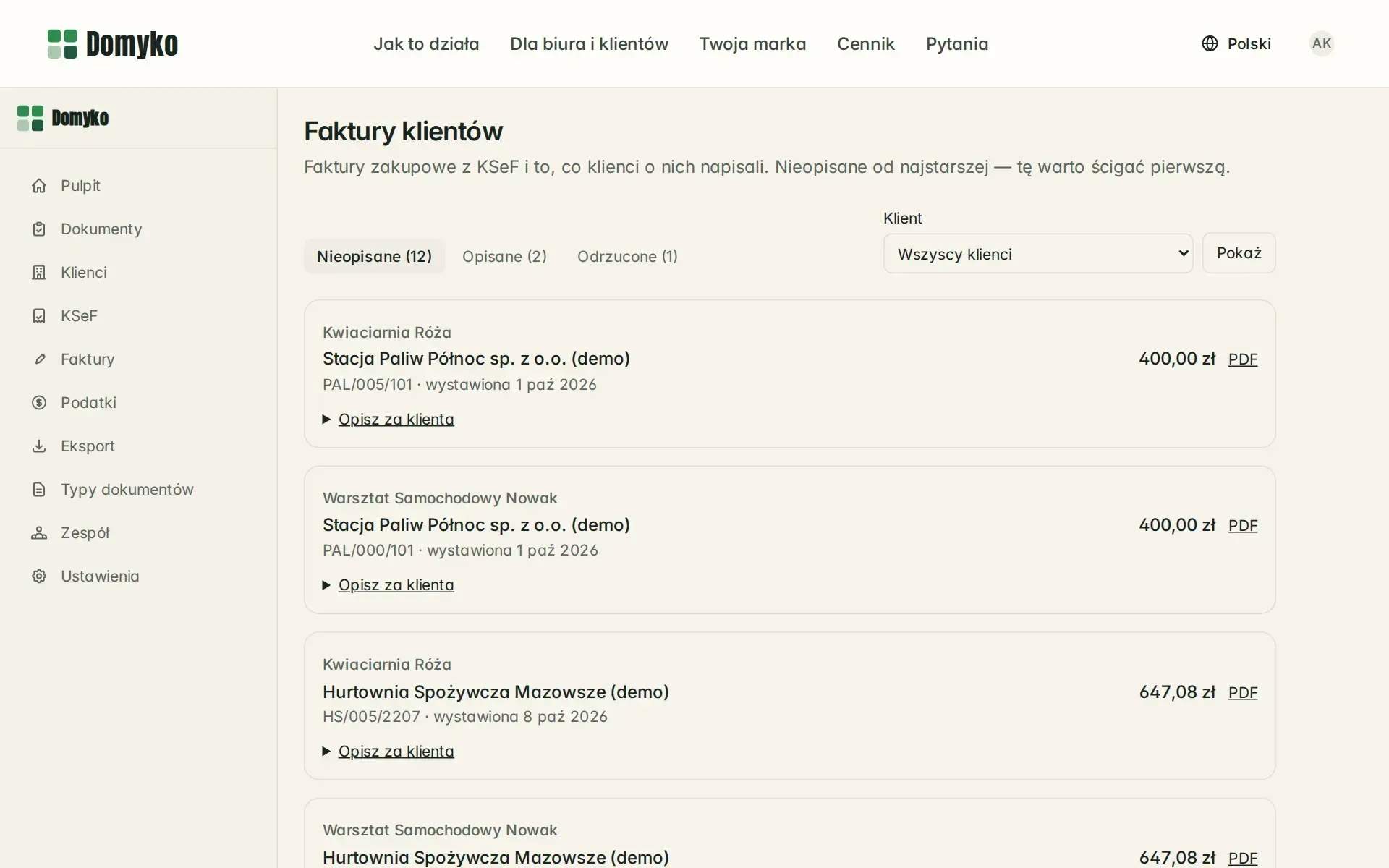
11KSeF invoices described by clients — undescribed ones first, oldest at the top
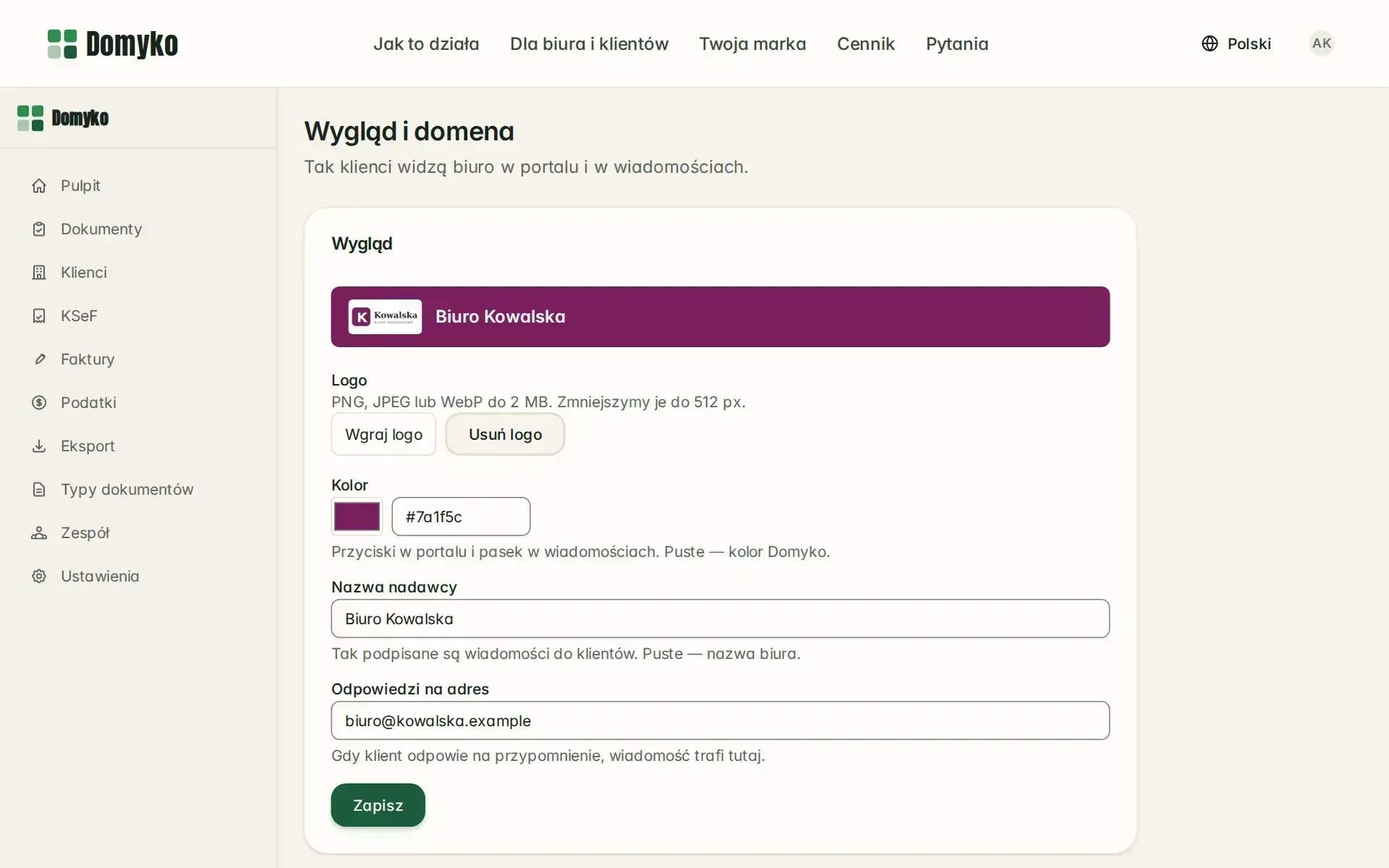
12Look and domain — the firm's logo, colour and address in the portal and messages
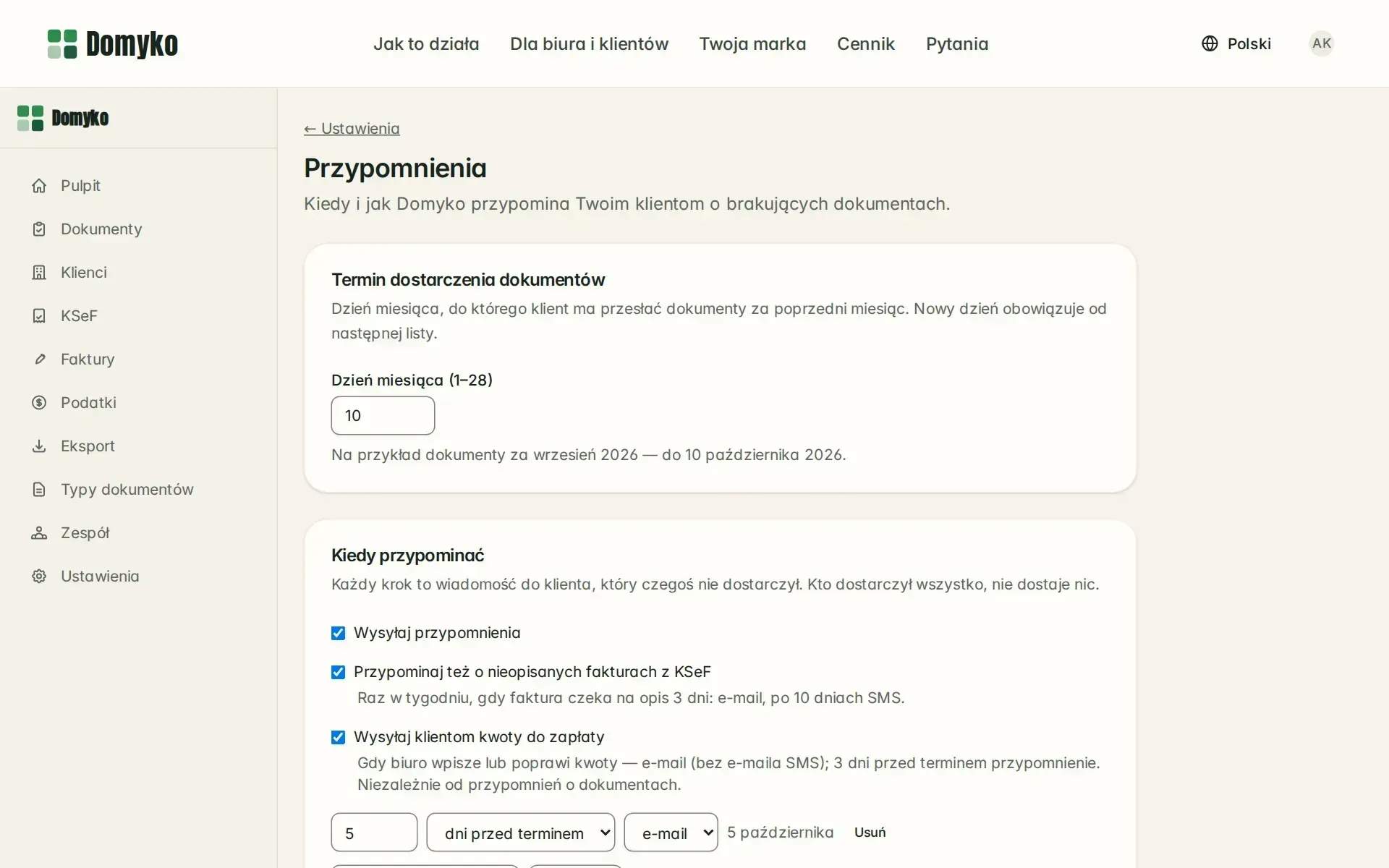
13Reminder schedule — email, SMS and a link that needs no login
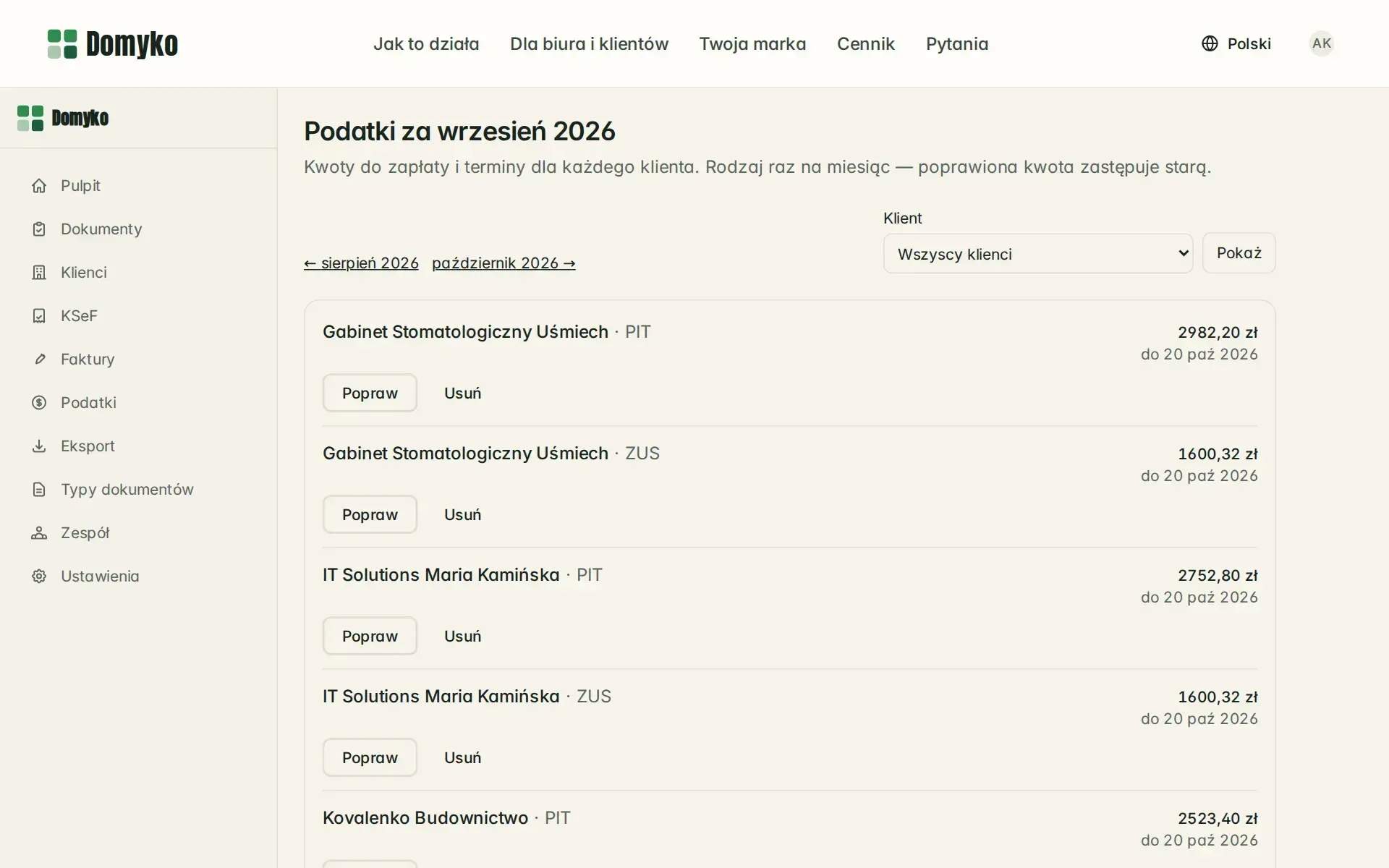
14Tax and ZUS (social security) amounts — the firm enters them, the client gets a message


// results · figures
What came of it
- Saved each month at a firm with 100 clients (estimate)Assumption: 6–12 min per client per month — reminders and phone calls about missing documents 3–6 min, KSeF invoice descriptions 2–4 min, sending tax and ZUS amounts 1–2 min. With 40–150 clients, around 4–30 h. We will measure the real figure in the pilot
- 10–20 h
- Monthly tasks the portal takes overChasing missing documents, asking for KSeF invoice descriptions and sending out tax and ZUS amounts
- 3
- Passwords and apps on the firm's client sideAccess by link from an email; a reminder opens the upload of the missing document without logging in
- 0
The firm gets a tool that takes over three monthly tasks: chasing missing documents, asking for descriptions of KSeF invoices and sending out tax amounts. In the dashboard it sees a list of what is missing for the period, and the client sends a document from their phone without creating an account. The accounting software and the firm's brand stay the same.
How much time does this save? There is no Polish measurement, so we count from the bottom up: 6–12 minutes a month per client, or around 10–20 hours at a firm with 100 clients. This is an estimate — we will measure the real figure in the pilot with the first five firms.
// Related
- ServiceWeb applicationsCustom CRM, client portals, B2B dashboards and multi-tenant SaaS for companies that have outgrown spreadsheets, built to be extended for years.
- ArticleWeb application — what it is, its types and when you need oneA web application is not just a bigger website. The real difference, the types of web application, what they cost and when they are worth building.
- ArticleBusiness process automation — examples and where to startBusiness process automation: how it differs from RPA and AI, Polish data, KSeF e-invoicing, our hands-off funnel, examples by department and the first step.
15 minutes. Zero selling.
Does your team have a similar job you'd like to take off its plate? Tell us what takes the most time today, and we'll tell you what can be done about it.